How to Connect Your Device
Select your device below to see step-by-step instructions:
Apple Watch
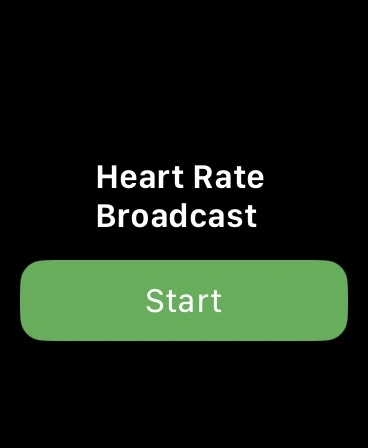
Install and open HeartShare app for Apple Watch. Click "Start" button
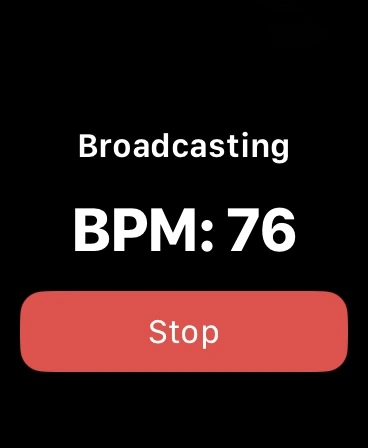
Your device is ready! Find it in the app
Garmin Watch
Activate Broadcasting via Menu → Health & Wellness → Heart Rate → Broadcast Heart Rate
Garmin HR Strap & others
(Colar, Moofit, CooSpo…)
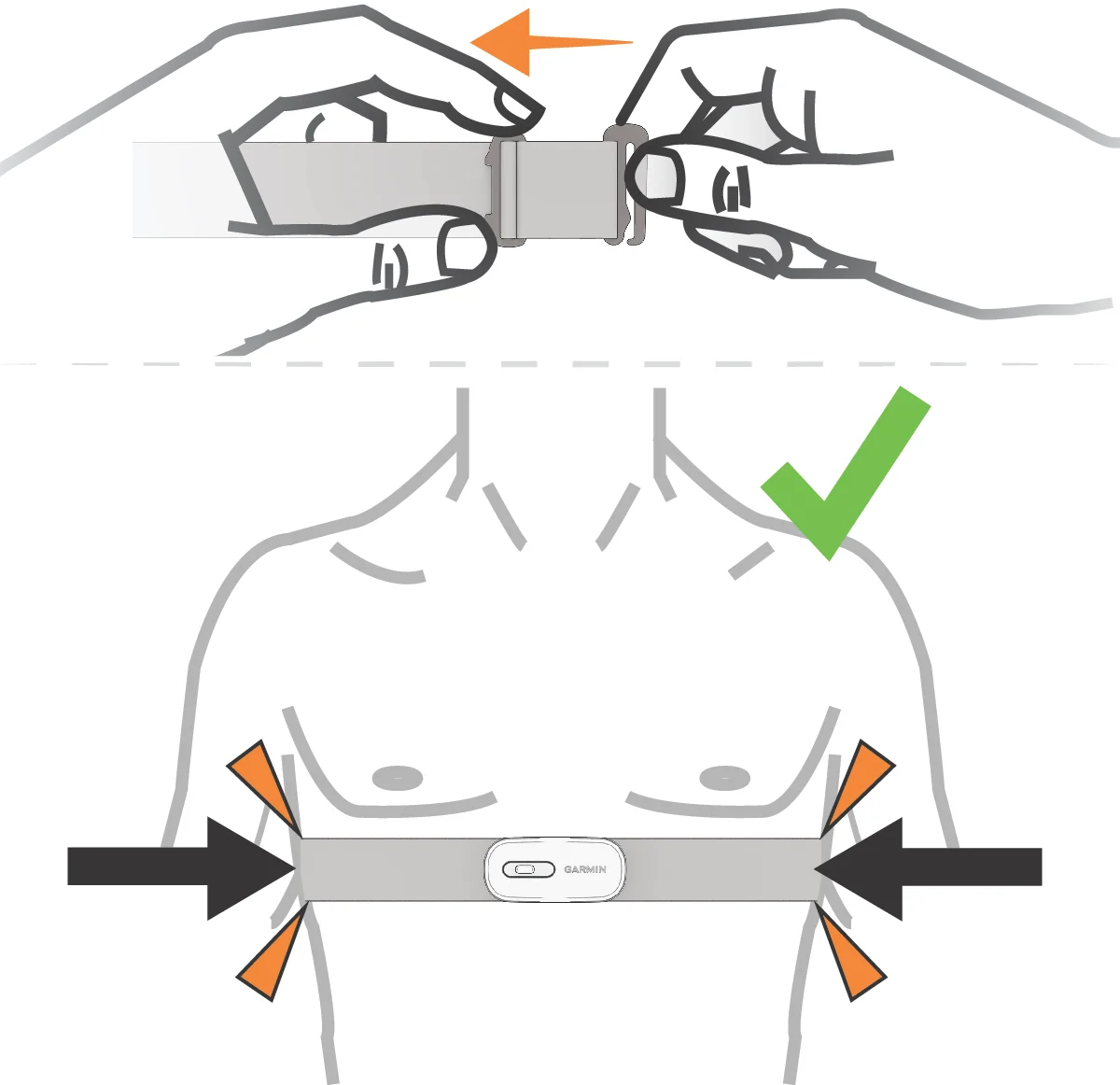
Wear your device properly. Do not connect it via Bluetooth — the app will find it automatically
Whoop
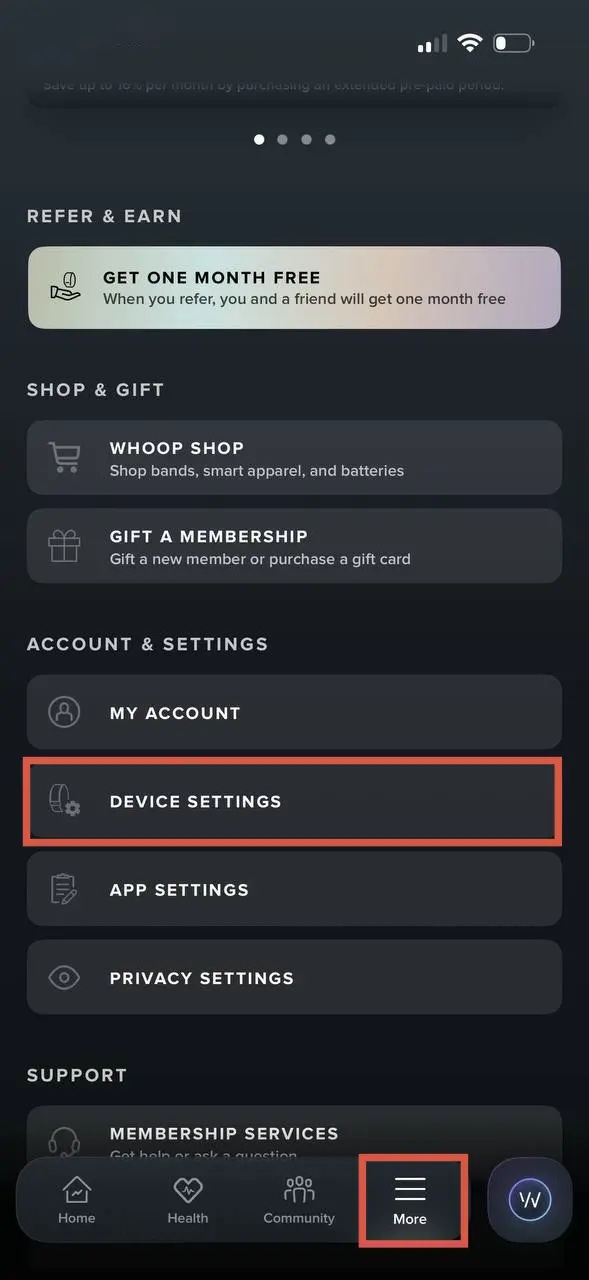
Click on "More" and then select Device setting
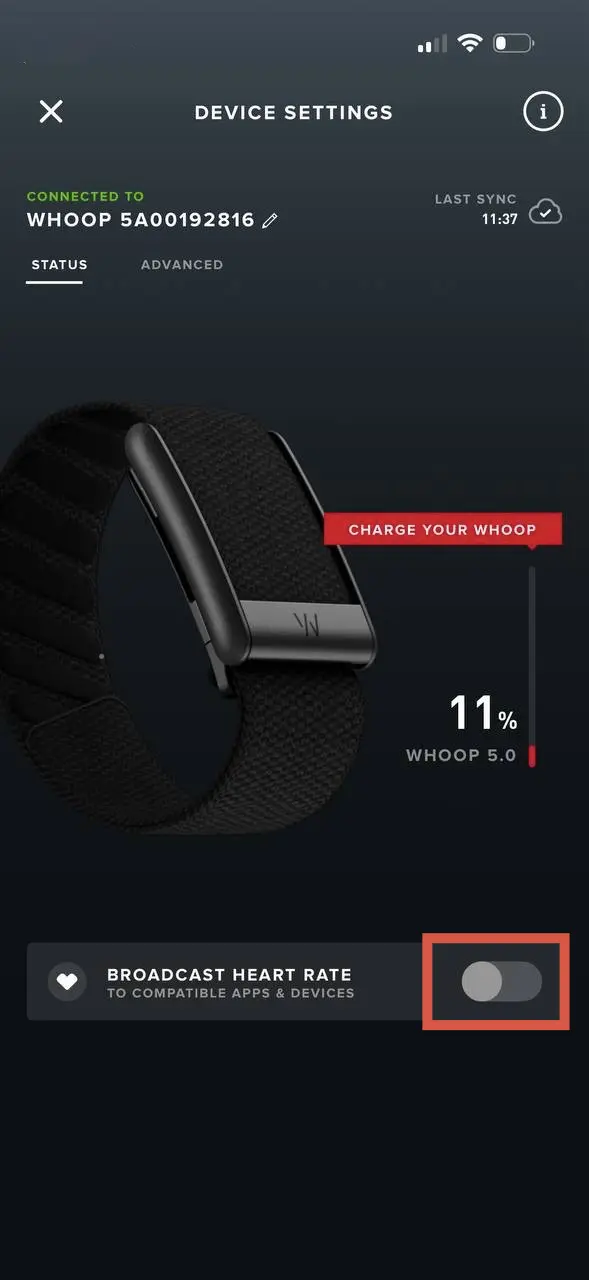
Switch toggle "Broadcast Heart Rate"
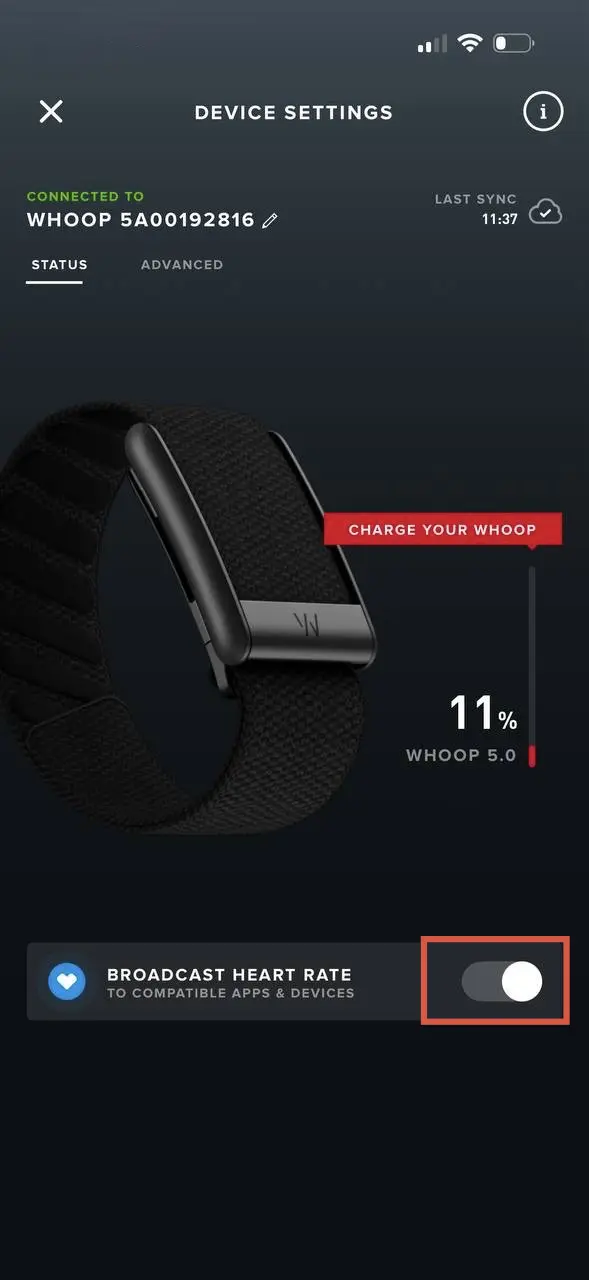
Your device is ready!
Xiaomi Mi Band 10
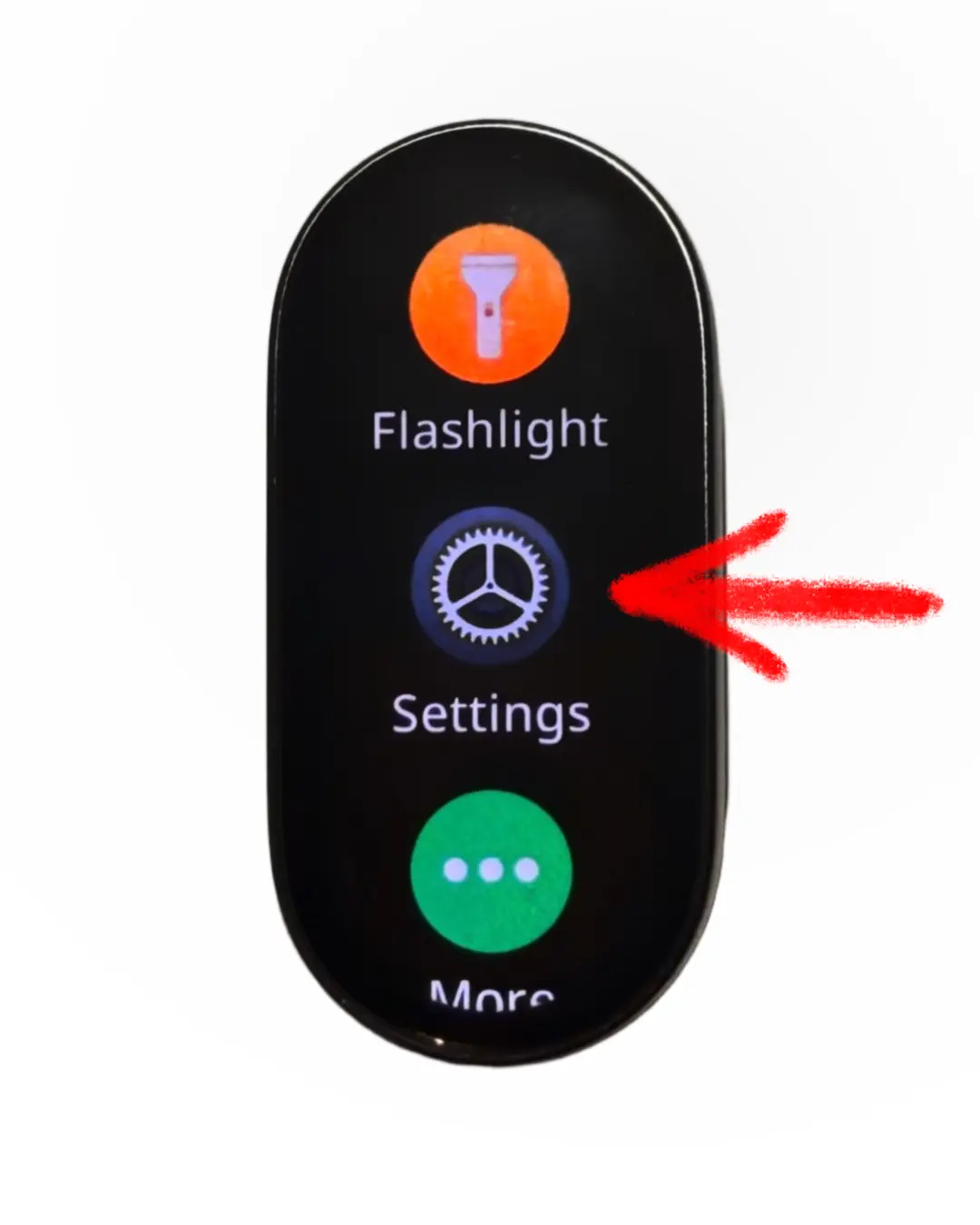
Open the Settings menu on your Mi Band 10
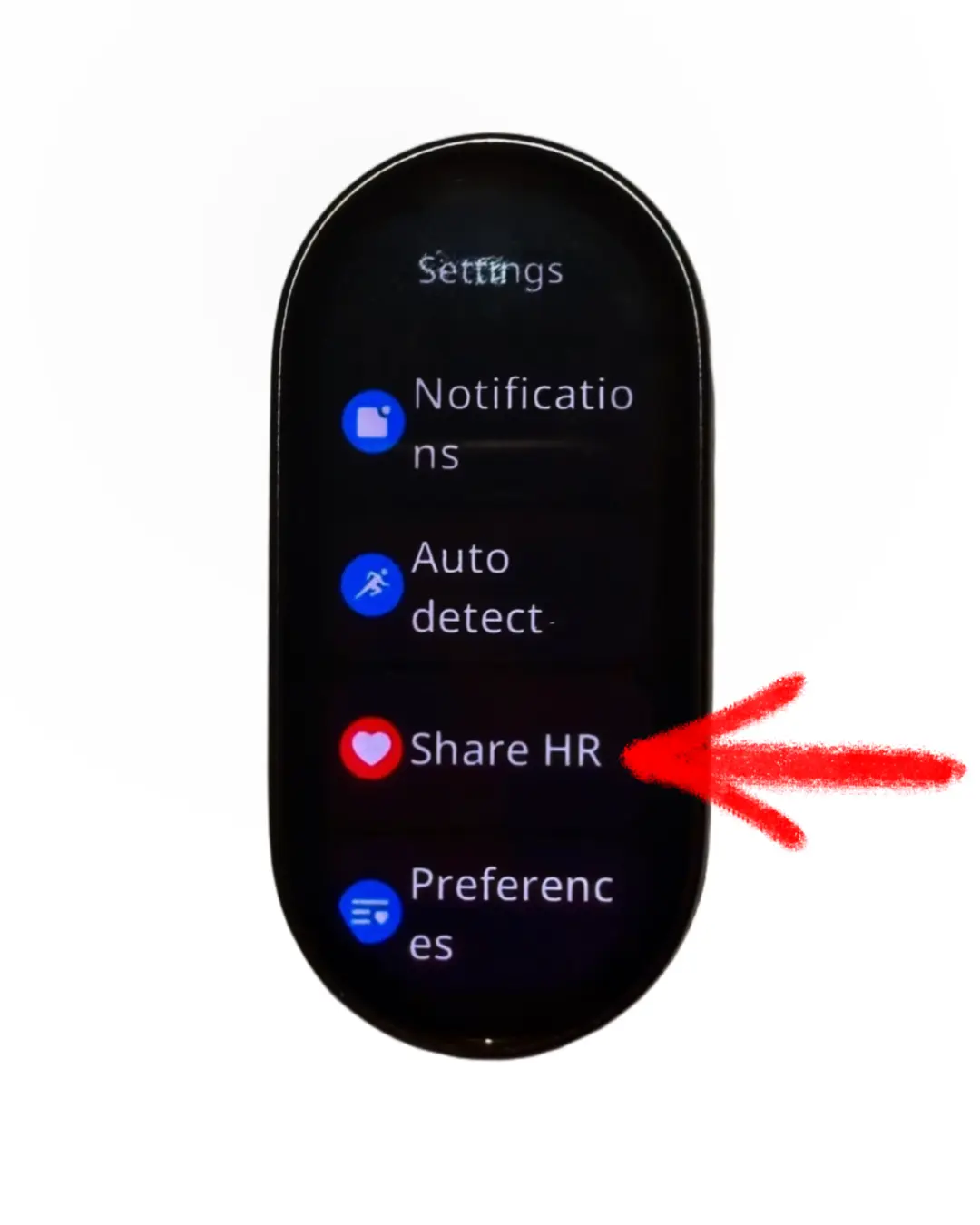
Find "Share HR" in the settings list
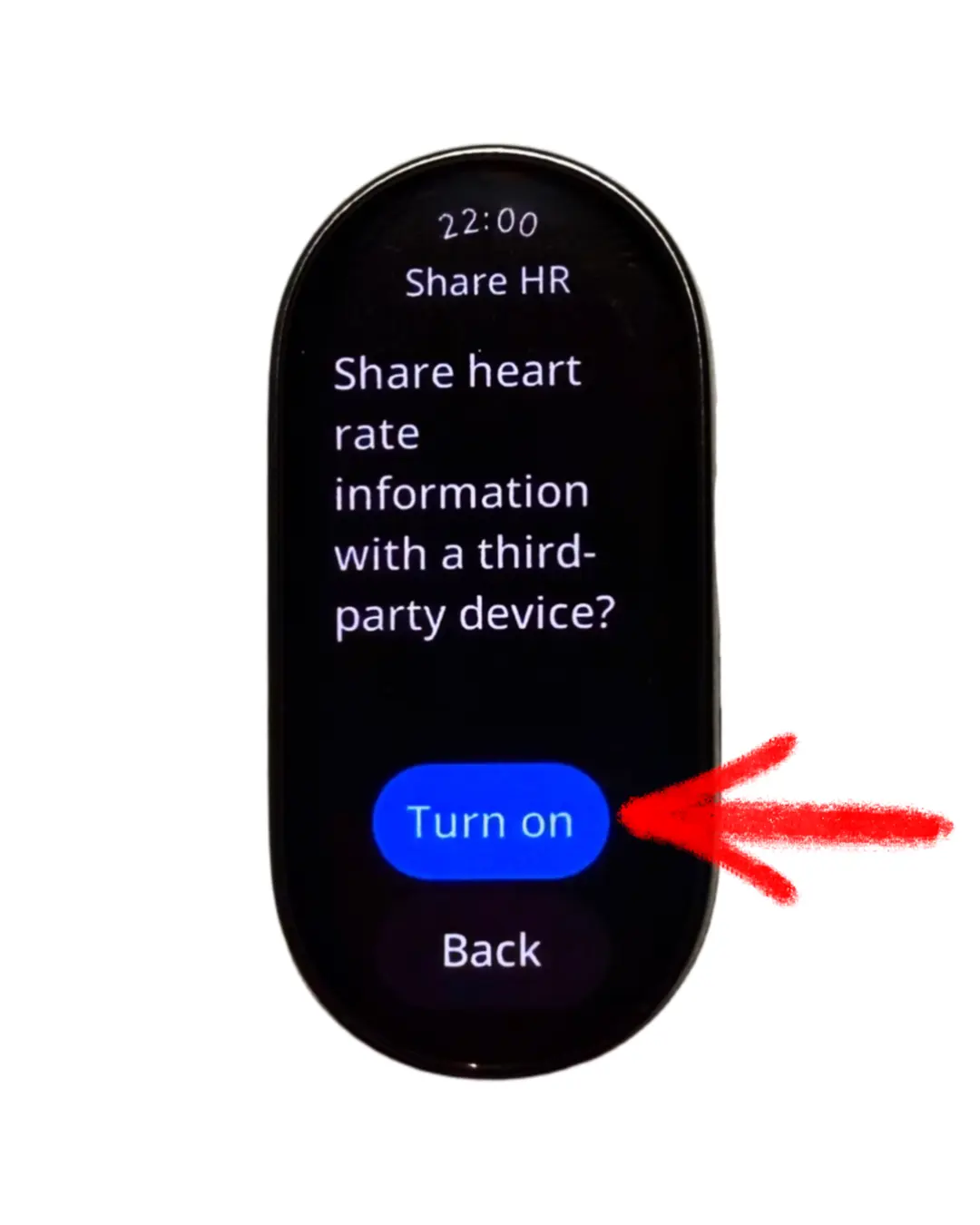
Turn on broadcasting — then find your device in the mobile app!